Have you ever edited your workspace and though, “This edit box is just too small, I want more space!”
No problem! Our latest feature, called Full Screen Edit, allows you to expand your edit box to the full width and height of your screen. With full screen edit you only see the toolbar and save button, all other page elements are hidden from view.
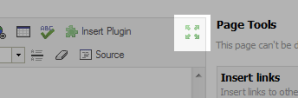
To enter fill screen edit mode, click the ‘flower’ button on your toolbar. Click once again to return to normal editing.
What do you think of full screen edit? Tell us in the comments!
McTeach: Love the new addition on PBWorks! You can now switch to fullscreen mode when editing a page! Very handy!!
 PBworks Official Blog
I often need to edit page with large tables, so full screen edit is wonderful! This is a great addition to the editor.
I like it! I was in the middle of a lot of wiki work and it definitely makes things easier.
I love the new feature!
I don’t know why my email could be used by someone else?
Nice feature. Still waiting for nested folders and user groupings.
This is a great feature, but it only works for me on my basic wiki (createclasswiki). For my premium wiki (harperallenteam0809), the flower tool has no effect. Has anyone else had this problem?
Thanks for this enhancement. A full screen edit is what I’ve always wanted and now it’s here. I’m glad.
That is lovely feature. Great.
I love the new feature!
I bet half your users don’t know it’s there. I stumbled on this blog entry completely by accident. You could do a much better job of publicizing it.
I’ve been using pbworks for months and never noticed the icon on the toolbar. I think you need to ask yourselves: “Is this a good way to introduce new features?”.