Tip of the Week #6: Cross-Browser Design

totw-banner.jpg

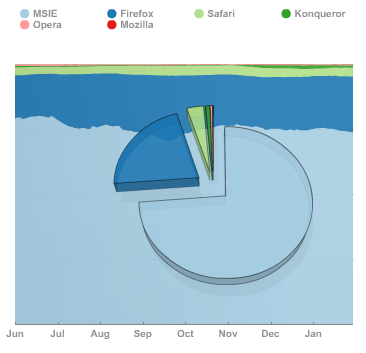
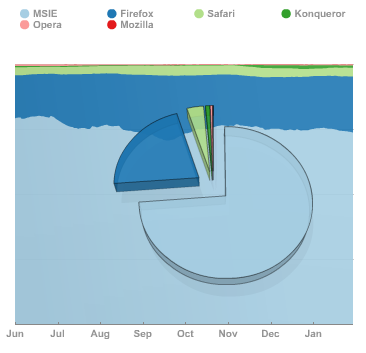
PBwiki does an amazing job of maintaining cross-browser compatibility in its basic design, so much so that people have told me about editing their wikis from their Blackberries. The designers work hard getting layouts and skins to look the same in every major browser, and for the most part, you’ll never ever have to think about making sure your page looks the same in Internet Explorer, Firefox, Safari, etc. That’s awesome.

Nonetheless, as people spend more time with their wikis, they will undoubtedly experiment. Maybe they learn a little HTML and create a few layouts within the content area. Maybe they are even more experimental and learn CSS to skin their wiki in bold new ways. Maybe they are really ambitious and begin fiddling with Javascript. Regardless of the situation, and especially if your browser of choice is not Internet Explorer, you’ll want to know that things look okay in other browsers.Continue reading “Tip of the Week #6: Cross-Browser Design”

PBwiki in medical school!

Ritu S. writes…

I’m a first-year medical student and for Histology class we are assigned multiple group projects over the year. There are six to eight students per group, and we usually divide the project into sections. We each send our individual slides to one or two other students for editing and compilation. For each assignment, our professor receives 32 PowerPoint and Word documents, filled with graphics and various formats of text and “speaker’s notes” via “yousenditâ€?.

After the first assignment, a student recommended using PBwiki to streamline the group projects. Dr. Brandon liked the idea and suggested that the students could do the projects using PBwiki if we felt it would save time and make our projects more cohesive.

From Dr. Brandon’s email:

THE FINAL PRODUCT can be:

MS-Word format with pictures (always fiddly to get the pictures to stay where we put them).

PowerPoint. If you use this tool, PLEASE USE SPEAKER’S NOTES!

A Wiki. The best way to collaborate because any group member can edit the current version of the document at any time, using any computer with a browser. You can set one up for free at http://www.pbworks.com. If you’re interested, ask me, or Amy Hockenbrock, for details (the Amy-generated Physiology website at rfumsphysiology.pbworks.com is a good example).

By the end of the last project, about one third of the class groups were putting their presentations together using PBwiki. Our final is coming up and Dr. Brandon just emailed us some links to a handful of the projects, indicating that some of our test questions will come directly from those presentations, as well as some of the PowerPoint files he has posted online.

I knew about PBwiki before my professor made the suggestion, but I wouldn’t have thought to use it for a class project. It’s proven to be a pretty useful tool for a lot of my classmates and myself, more so now that I can easily study for the final using the wikis we’ve created.

Tip of the Week #5: Simple Styles for Everyone!

totw-banner.jpg

Because the last tip was only really useful to Classic wiki users, I’ve pushed up the next tip on CSS styles to this week. Enjoy!

A lot of gibberish gets thrown around by some of the advanced PBwiki users, particularly those with experience in web design, including HTML (HyperText Markup Language), the code that makes up every webpage on the Internet and CSS (Cascading Style Sheets), the current standard for formatting and styling HTML. Today, we’re going to focus on CSS as a way to format parts of your wiki the way you want, using specific examples. Although I plan on explaining CSS more thoroughly in a future post, I won’t go into the details for now, focusing on getting you real results.Continue reading “Tip of the Week #5: Simple Styles for Everyone!”

PBwiki upgrades its Point-and-click editor

We just launched the newest version of our Point-and-Click editor (formerly, our WYSIWYG editor) tonight. There are quite a few specific changes listed below, but there are also a number of other subtle changes which may lead you to think the editor “just works better� now.

  • Due to popular demand, we’ve added a strikethrough button on the toolbar
  • Line spacing should be more consistent – no more misbehaving ‘enter’ keys
  • For those conscious about the HTML that is generated, you will be happy to learn that the editor will produce leaner, cleaner, code, especially with attachments

The best part is we aren’t stopping the improvements any time soon. We’ll be improving the speed of the new editor and improving the usability even more over the next few weeks.

Tip of the Week #4: More Plugins

totw-banner.jpg

Last week, we took an indepth look at the new plugins used by the Point-and-Click editor and how you could incorporate that same functionality if you wanted to stick with the WikiStyle editor. We saw that by adapting the code that was generated by the Point-and-Click editor, we could borrow many of the available plugins. This week, I’ve added a few more surprises to the mix, aiding your editing even more than before.Continue reading “Tip of the Week #4: More Plugins”

Hot and heavy – rackmount servers and thermal management

We’ve been bringing up a number of new servers at the San Francisco data center. We’ve got some great Core2Duo machines which draw between 0.75A and 1.10A but have pretty substantial horsepower. So far so good, and almost all of the machines went in happy and stayed that way.

An interesting aspect of hosting servers at a data center on the west coast is that there’s plenty of space and lots of connectivity, but fairly scarce power. This is important for two reasons; first you need to be careful not to put too many servers in one cabinet or you’ll blow your 20A fuse all at once and all the servers shut off simultaneously. Second and nearly as scary is that you don’t get enough cooling from the building’s overtaxed and potentially under-sized air conditioners, and slowly cook your servers to an early death.

[We use a great system called syslog which collects all kinds of system stats and logs in one place for all of our servers – it makes it simple to collect and plot data like ‘fan speed, cpu temperature, and cpu workload of all machines for the last few days, data points every 15 minutes’.]

You can see on the plot below that on first power-up, “sf3” was running hot.

This is one of two machines where the factory hard drives were flaky and I replaced them with drives from another vendor. Because the new drives are full-on SATA and our cases only supply standard ATX-style 4-pin drive power, I needed a jumper cable. This just a few inches of 4 wires, plus connectors on the ends. Turns out I’d done two dumb things.

I left these jumper cables hanging down a little near the motherboard, an inch away from a fan exhaust. I’d also stashed the folded-up spare IDE cable in an evidently unused space within the case.

On power-up we find, as shown in the graph below, the CPU is running 30F too hot. Once I was home from the data center and had time to build the thermal report for all the servers the two machines with SATA jumpers stood out, sf3 was the extreme example but sf9 was running 20F too hot. A half hour drive each way plus a few minutes of fiddling with the cables and baffles and the cpu temp was back under control.

24 hours of temperature plots

PDF export improvements coming along

Lots of people have requested an enhanced PDF export capability — our new team member Igor has been doing some great work adding features to this little gem of a feature. Top priorities for us are:

1) proper unicode support (for all those wacky citizens of the world)
2) proper handling of lists, especially nested lists
3) inlined images

I’ve done a first-pass integration of Igor’s improved code on our development servers, and have a screenshot to share. Expect to see more tweaking of the vertical spacing and formatting, with general availability in the next few weeks.

Screenshot of PDF improvements

Tip of the Week #3: Plugins for your "classic" WikiStyle wiki

totw-banner.jpg

PBwiki has now unveiled the new Point-And-Click editor, and it’s coming along nicely. Although there are still a few formatting snags, I have yet to see a web-based rich-text editor not go through a few growing pains (I’m still mad enough at WordPress’s editor for eating up my code last time that I wrote this entire post in HTML).

But rich-text has its place, and the new editor has many innovative things going for it, like the ease with which you can insert media and files. But of all these innovations, probably the most powerful is the plugin system, which allows you to extend your wiki in all kinds of fun ways.Continue reading “Tip of the Week #3: Plugins for your "classic" WikiStyle wiki”