Whither pagers?

Earlier this week we had a service outage. The proper chain of events would be:

  • 00:00:00 Server problem
  • 00:00:03 Monitor processes notice problem, send page to admin’s phone
  • 00:00:10 Phone rings with new message
  • 00:00:30 Admin logs in to server, fixes problem
  • 00:01:00 Problem resolved

But what happened was:

  • 00:00:00 Server problem
  • 00:00:03 Monitor processes notices problem, send page to admin’s phone
  • 00:00:10 T-Mobile doesn’t deliver the message
  • …

This started around 3am California time, which is why none of the PBwiki team noticed it independent of the sms alert mechanism. What should have been an isolated transient, simple to resolve and not user-visible turned into a cascade of unpleasant timeouts which caused the service to slow and eventually halt. We’ve done an extensive internal examination of what happened, and we’re changing some technology, adding some additional automated checks, and doing a few procedural things more intelligently.

The main process change is something that is probably old hat for old-school ops people — the absence of a page alert is not an indication of systemwide health. We’ve deployed a lot of new infrastructure in the last few weeks, and I’d been getting occasional pages for a while, but none for the prior day or two. I’ve set up the daily equivalent of the Tuesday-at-noon air raid siren test — in which the absence of a message every morning will be a problem itself. We’ve also got independent Nextel phones for on-call ops folks so there are now several routes for the alarm pages to take, plus that funny push-to-talk thing so we can annoy one another at all times.

Got QA?

Are you good at breaking things? Have you noticed problems in PBwiki? Are you really good at finding annoying bugs and detailing how you broke something? Do you foam at the mouth when you find a typo or something takes more than a second to load? We need you!

PBwiki is currently looking for a part-time QA engineer at $15+/hour to help us find issues so we can fix them. The best way to get hired is to come to us with a list of problems that you’ve been able to spot as-is. 🙂 Email us at iwanttowork@pbworks.com with your list and resume.

Cheers,
David Weekly, CEO

PBwiki Presenter Pack

Over the last three months we’ve been offering our users PBwiki presenter packs. If you’re interested in giving a presentation about PBwiki (or Web 2.0 technologies in general) we’d love to ship you our presenter pack. It’s free!

The presenter pack includes:

  • A PBwiki shirt. Choose your favorite
  • An easy-to-read PDF overview of PBwiki to hand out to your audience (“What’s a wiki?” “Can I see some samples?” “What about privacy?”). We’ll even reimburse your printing costs.
  • A Powerpoint with pictures of real people/students using PBwiki.
  • 3 FREE Premium Gold wikis. Keep one for yourself and give the other two away to your audience. (Total value: $750.00.)
  • Here’s a couple of pictures of the goodies from our presenter packs, courtesy of our PBwiki users.

    wikigiveaway450.jpg

    wikigiveaway13751.jpg

    Check out our PBwiki Presenter Pack page for more information on how to obtain the presenter pack.

    Tip of the Week #10: Images, Part 2

    totw-banner.jpgJason Nguyen

    Last week, I gave you some ideas to start optimizing your images for web upload, looking at file size and compression type (JPEG or GIF). This time, we assume that you have your file created and uploaded, and we begin to explore the various ways you can present that image in a page, focusing on alignment and borders.

    This week, Oscar the Panda is on vacation, so I have Slippy here as my assistant. Say hi to Slippy!

    penguin.gif

    Continue reading “Tip of the Week #10: Images, Part 2”

    PBwiki Acquires Schtuff.com

    Sweet! You may have heard it around, but we’re super happy to welcome Schtuff.com into the PBwiki family. (For you folks who think we’re recklessly splurging, we made the acquisition with customer revenue, not our newfound VC dollars.) This acquisition brings into the fold a million new wiki enthusiasts. We’re looking forward to working with the team from JanRain (who built Schtuff) to add OpenID support to PBwiki. Here’s to the wiki space! 🙂

    Tip of the Week #9: Images, Part I

    totw-banner.jpgJason Nguyen

    Anybody who designs a website, be it a wiki or any other kind of site, will eventually come to realize that an all-text site is one of the most boring things ever, and although some of that is helped with some well-placed colors and styles, you’ll eventually need some images to spice things up.

    PBwiki makes the image upload process very easy, and the basic layout options are simple. However, before we even begin the layout process, the first step to making optimum images begins well in advance. This week, we’ll take a look at how to prep your images before you upload them, and next week, we’ll discover some neat ways to present them in your wiki.

    Continue reading “Tip of the Week #9: Images, Part I”

    Thanks for the fridge!

    Remember the part about how our huge splurge after getting the financing money was to buy a larger, but very basic, fridge?

    More than a week before it was scheduled to be delivered, I received several phone messages about someone wanting to deliver a fridge to us the following day. Needless to say, I was a bit baffled, since the vendor and delivery date were completely different than the fridge I had ordered.

    Eventually I figured out that a very nice investor at MDV had actually bought a fridge for us as a surprise, to celebrate the close of the funding round, and, therefore, we could cancel our original order. More money for ramen!

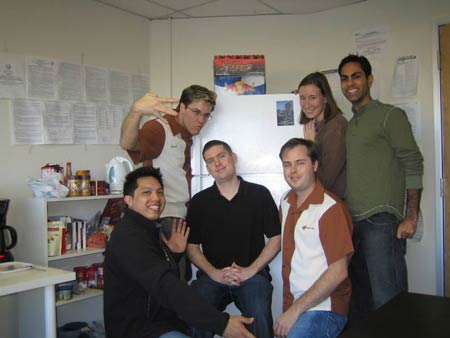
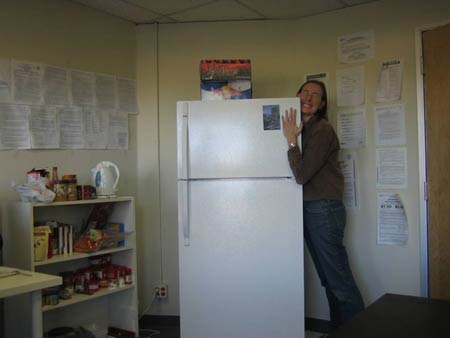
    What follows is documentation of the inside of the fridge, a group shot of the happy employees gathered ’round the fridge, and a happy employee (me) bear hugging the fridge.

    InsideFridge

    Group

    EmilyFridgeReal