Today, we’ve enabled a new feature on your wiki: Request Access allows users to request access to your wiki.
Who would use Request Access?
It’s perfect if you want to add users to your wiki, but don’t want to manage the process of figuring out their email address, adding them, and managing them. You’ll still be able to add users to your wiki, but Request Access allows your users to make your life easier. Request Access is one of our core steps to making our login system easier to use.
How Request Access works
1. Someone wants to access your wiki (maybe you suggested they contribute)
2. They go to your wiki and click “Log in”
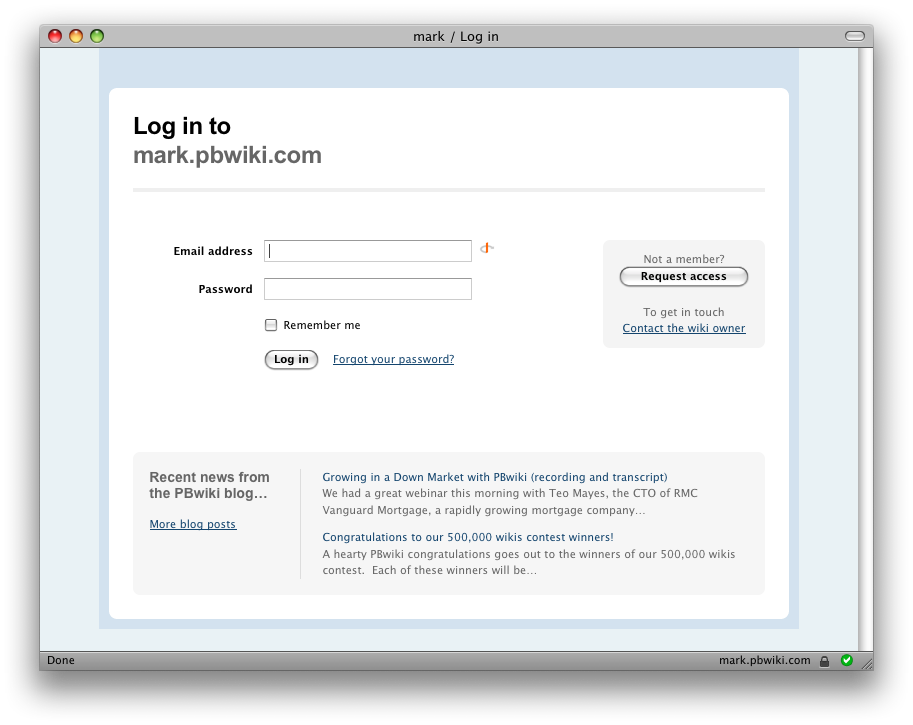
3. They’ll see a login page. Since they don’t have access to your wiki, they click “Request Access” and fill out some basic information
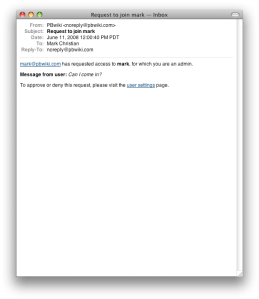
4. You’re sent an email with simple instructions on allowing the user wiki access (or ignoring them)
Screenshots
This is what your users will see when they try to log in to your wiki:

If they don’t have a username/password, they’ll be able to click “Request access,” which will take them to a page where they can identify themselves to the wiki administrator(s):

As the wiki administrator, you’ll receive an email that will allow you to grant access (or ignore the request).
…and they’re added to your wiki! No more wondering if you got the email address right or giving complicated instructions to log in to your wiki. Once you grant access, PBwiki handles the signup process in the background and lets you manage users from Settings >> Users.
As one of our beta testers said:
I love it. Since I’ve got a private wiki that we keep adding people to, previously I had to go and enter everyone in. I was never sure if I entered the right email.
[Request Access] makes logging in easier. First off, I get an email notification, so I don’t just get a random email from someone. I can just click on the link and approve! Hooray!
I like request access better than entering folks in individually.
Turning Request Access off
If you don’t want to allow users to request access to your wiki, you can always disable this feature by clicking Settings >> Security.
We love feedback!
Thanks for using PBwiki, and if you have any feedback, we’d love to hear it.







 PBworks Official Blog